
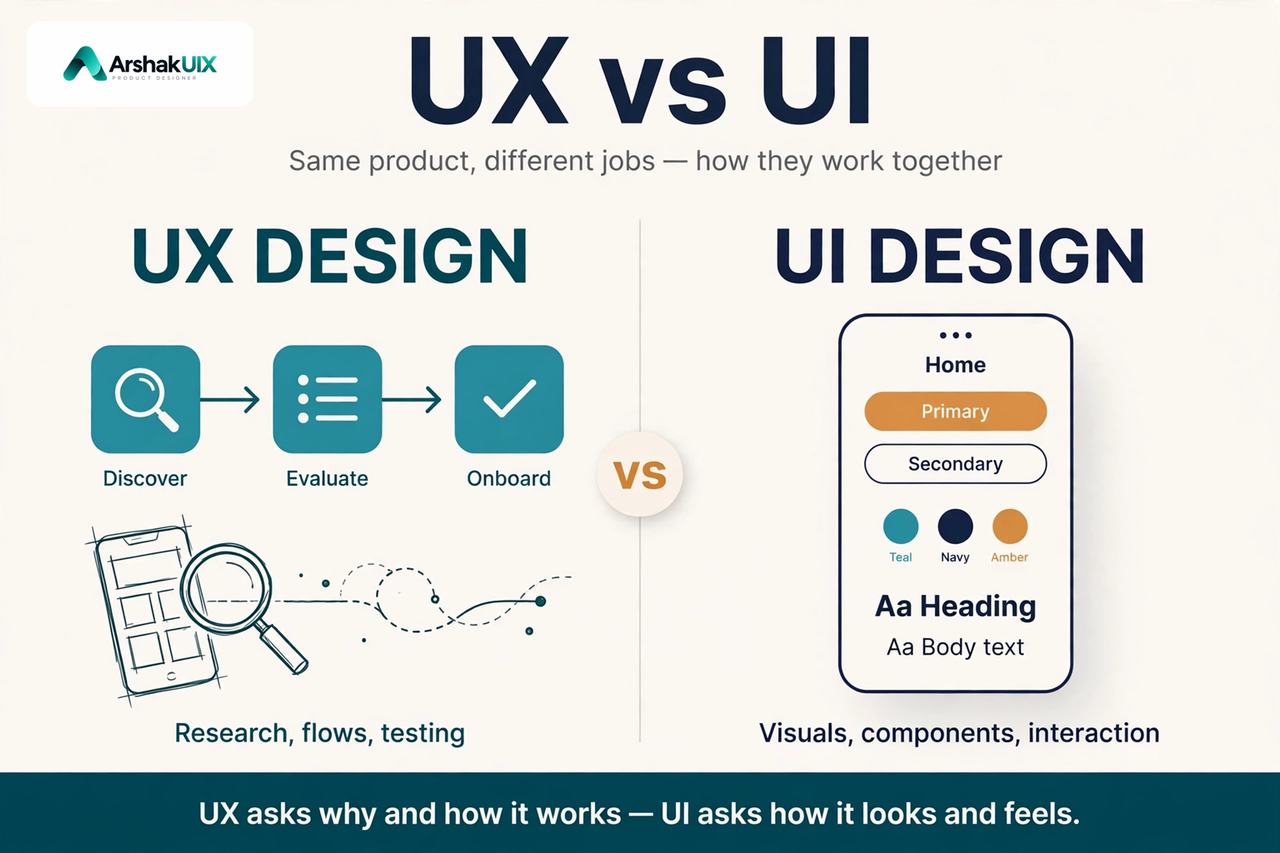
UX vs UI Design: What's the Difference, and Why It Matters
If you have ever looked at a job post, a course, or a portfolio and wondered whether UX and UI are the same thing, you are not alone. The two terms are used together so often that they start to blur. They are closely related, but they are not the same job, and confusing them leads to real mistakes: beautiful screens that nobody can use, and logical flows that nobody can read.
This guide explains the difference in plain language, shows how UX and UI work together in real products, and gives you a practical way to tell which one is causing a problem.
Why the Difference Matters
It matters because the fix depends on the diagnosis. If users cannot find the next step, a new colour palette will not help. If users can complete the task but misread a label or tap the wrong button, a new user flow will not help either.
UX asks, "Does this work well for the person using it?" UI asks, "Does this look clear, feel right, and behave predictably when they touch it?"
What Is UX Design?
UX design is the design of the whole experience a person has with a product. It starts before the first screen and continues after the last one.
UX designers work on questions such as:
- Who is this for, and what are they trying to do?
- What is the simplest path from their goal to the result?
- What information do they need at each step, and what can wait?
- What could go wrong, and how does the product help them recover?
- How will we know whether the experience actually works?
Their deliverables are usually research findings, user journeys, flows, wireframes, prototypes, and usability test results. The work is mostly invisible in the finished product, which is exactly the point. When UX is done well, the product feels obvious.
What Is UI Design?
UI design is the design of the surface people see and touch: the screens, buttons, typography, colours, icons, spacing, and motion that carry the experience.
UI designers work on questions such as:
- Is the hierarchy clear at a glance?
- Can the primary action be found — and tapped — without thinking?
- Are the type sizes, contrast, and spacing readable on a real phone?
- Do similar elements look and behave the same way everywhere?
- Does the interface give clear feedback after every action?
Their deliverables are usually high-fidelity screens, components, design tokens, and interaction details. UI is what people photograph, share, and judge first.
| Aspect | UX Design | UI Design |
|---|---|---|
| Focus | The whole journey | The screen in front of the user |
| Core question | Does this work for the person? | Is this clear, readable, and tappable? |
| Typical work | Research, flows, wireframes, testing | Layout, typography, colour, components |
| Success looks like | Fewer steps, fewer errors, faster completion | Clear hierarchy, consistent controls, confident taps |
| Fails when | Users get lost, stuck, or give up | Users misread, mistap, or miss the action |
How They Work Together
Think of a travel booking app. The UX work decides the booking flow: search, compare, choose a flight, add passenger details, pay — with the total price visible before the payment step, and a clear way back at every point.
The UI work decides how that flow appears: dates that are easy to scan, fares that are easy to compare, a primary button that is large enough to tap on a moving bus, and a confirmation state that leaves no doubt the booking went through.
Change the flow and you change the experience. Change the screen and you change how easily people can follow the flow. Good products need both decisions made well, in that order: task first, screen second.
Apply It: A Six-Step Check
Use this whenever you review a screen or a flow, in your own work or someone else's.
- Name the user's goal in one sentence. If you cannot, the UX is unclear.
- Walk the shortest path to that goal. Count the steps. Every step should earn its place.
- Find the moments of hesitation. Where would a first-time user pause, guess, or go back?
- Label each hesitation UX or UI. Unclear step, missing information, or dead end: UX. Hard-to-read label, tiny target, or inconsistent control: UI.
- Fix the flow before the finish. Restructure, remove, or reorder first. Then polish the visuals.
- Test with one real person. Watch them use it without guidance. What they do matters more than what they say.
Common Mistakes
- Calling a visual redesign a UX redesign. If the flow, content, and research did not change, it is a UI refresh. Name it honestly.
- Designing screens before understanding the task. A layout is not a plan. The plan is the journey; the layout carries it.
- Copying another app's look. A popular app's visual style was shaped by its own users, constraints, and research. Borrow the thinking, not just the surface.
- Judging a design only in Figma. A frame cannot tell you whether a real person will understand it at arm's length, in sunlight, in a hurry.
- Treating accessibility as a finishing touch. Contrast, focus order, and touch-target size are not polish. They decide who can use the product at all.
Key Takeaways
- UX is the whole experience; UI is the visible, touchable surface of it.
- A good flow deserves a clear interface, and a clear interface cannot rescue a broken flow.
- Start with the user's task, then design the screen that serves it.
- When a user struggles, diagnose first: is the problem the journey or the screen?
- The strongest designers can do both — and can explain which one they are fixing, and why.
Conclusion
UX and UI are not rivals, and they are not synonyms. UX decides what the product should do and how the journey should feel. UI decides how that journey looks, reads, and responds when someone touches it.
The next time you open an app that frustrates you, pause before blaming the colours. Ask which question it failed: did it make the task hard, or did it make the screen hard to use? That one question will make you a sharper designer — and it is the question every good UX and UI decision starts from.
References and Further Reading
- The Definition of User Experience — Nielsen Norman Group
- Usability 101: Introduction to Usability — Nielsen Norman Group
- Don Norman, The Design of Everyday Things (revised edition, 2013)
- UX Design — Interaction Design Foundation
Written by Arshak, UI/UX Designer at ArshakUIX.